Why aren’t my heat transfers sticking?
Heat pressing issues often arise because you didn’t follow the application instructions and/or you have an inadequate heat press machine. Before you heat press anything please read and make use of these time proven application tips.
Accurate Temperature: Start by using the recommended temperature setting(s) on the application instructions, as they are tried and true. Obtaining and maintaining accurate temperature is crucial. It’s extremely important to monitor the heating platen temperature as it will fluctuate once you begin pressing. The best way to monitor the heating platen temperature is with a digital pyrometer and surface probe. Heating strips can also be used. Do not use an IR (infrared) non-contact laser gun. Thermometer infrared temperature readings from low emissivity materials (aluminum platens) are not accurate. Inaccurate temperature is often the cause of failed applications.
Accurate/Even Pressure: Start by using the recommended pressure setting(s) on the application instructions, as they are tried and true. Most heat transfer application failures are due to inaccurate pressure settings. Insufficient pressure will result in poor adhesion. Poor adhesion may not be noticeable until the garment has gone through a wash cycle. To avoid adhesion failure, use medium to heavy pressure depending on the thickness of the apparel.
Check The Pressure: Here’s an old school method for checking the pressure on a manual heat transfer press machine. Place dollar bills or half sheets of copy paper on the front and side edges of the lower platen. Allow each bill or half sheet of paper to hang halfway off the front and side edges. Lower the heating platen onto the lower platen and lock the handle in place. Now remove (pull out) the bills. If you can pull the bills out open the press, and tighten the pressure adjustment knob, then repeat the process until the bills are difficult to pull out or cannot be pulled out at all.
Bills are difficult to pull out equates to Medium Pressure. Medium pressure setting are (4-6) on a manual heat press or 40-50 psi on an air operated machine.
Bills cannot be pulled out equates to Heavy Pressure. Heavy pressure setting are (7-9) on a manual heat press or 55-65 psi on an air operated machine.
Time: Start by using the time setting(s) on the application instructions, as they are tired and true. Using the recommended time allows the plastisol or adhesive to properly fuse to the garment ensuring durability and longevity of the bond.
Pre-Press: Pre-press the garment or fabric for 3-5 seconds or longer if you are in an area with high humidity. Pre-pressing will remove excess moisture and wrinkles and reduce fiber fibrillation.
Now you’re Ready… Let’s decorate a T-shirt
Step One: Use the recommend temperature setting to pre-heat the press
Step Two: Set the pressure and timer
Step Three: Test press an extra transfer onto alike piece of fabric before you begin pressing your order. If the transfer doesn’t release from the paper or properly adhere to the fabric adjust your settings as needed to assure proper release and adhesion.
Step Four: Pre-press the garment
Step Five: Place the garment on the lower platen
Step Six: Line up and place the heat transfer ink side down against the fabric.
Step Seven: Lower and lock the upper heating platen onto the garment
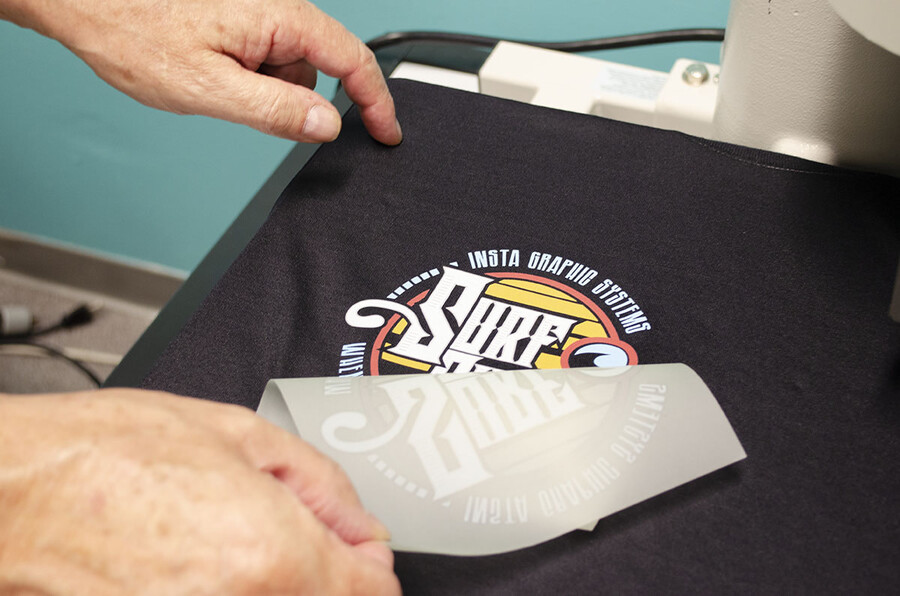
Step Eight: When the application cycle is completed disengage the heating platen and follow the peeling instructions. Always pull the transfer paper from a corner in an even steady sweeping motion.
The pressing instructions enclosed with your heat transfer orders are guidelines for success.
A heat transfer machine is the foundation of a heat press T-shirt decorating business. Unfortunately, all heat transfer presses are not created equal. You may need to tweak the recommended heat press setting to achieve desired results.